
Software end-of-life and security update tracking
Choose the software and services you run, and Pitlamp tracks their end-of-life dates, security advisories and outages for you, ranked by urgency so the riskiest items come first.
30 days free. No payment details needed.
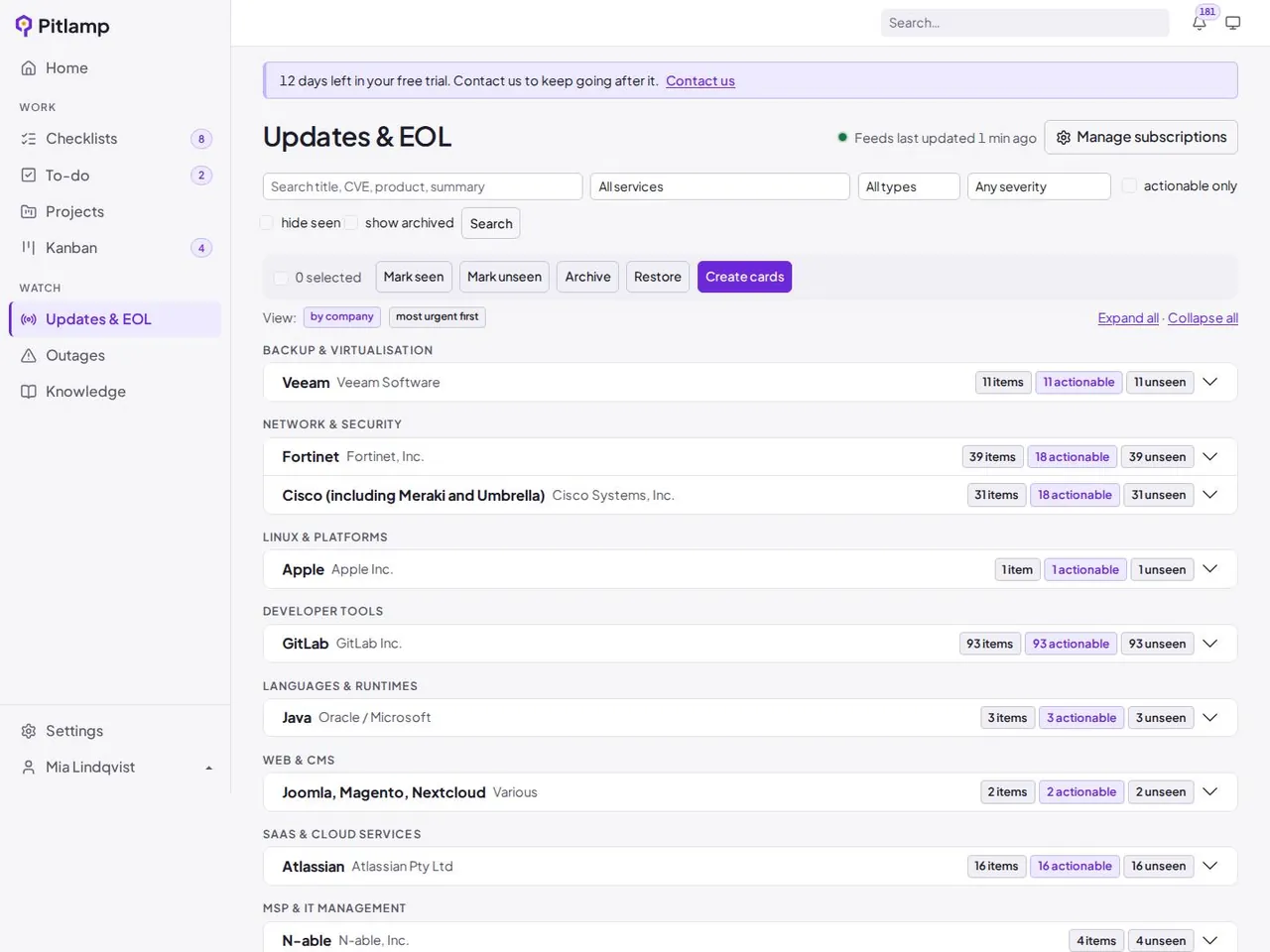
End-of-life dates before they arrive
Know exactly when the software and platforms you run lose vendor support, and plan upgrades in good time.
- End-of-life and end-of-support dates for the software you select
- Early warning as each date gets closer, ranked alongside your other work
- A link back to the vendor’s own announcement for every date
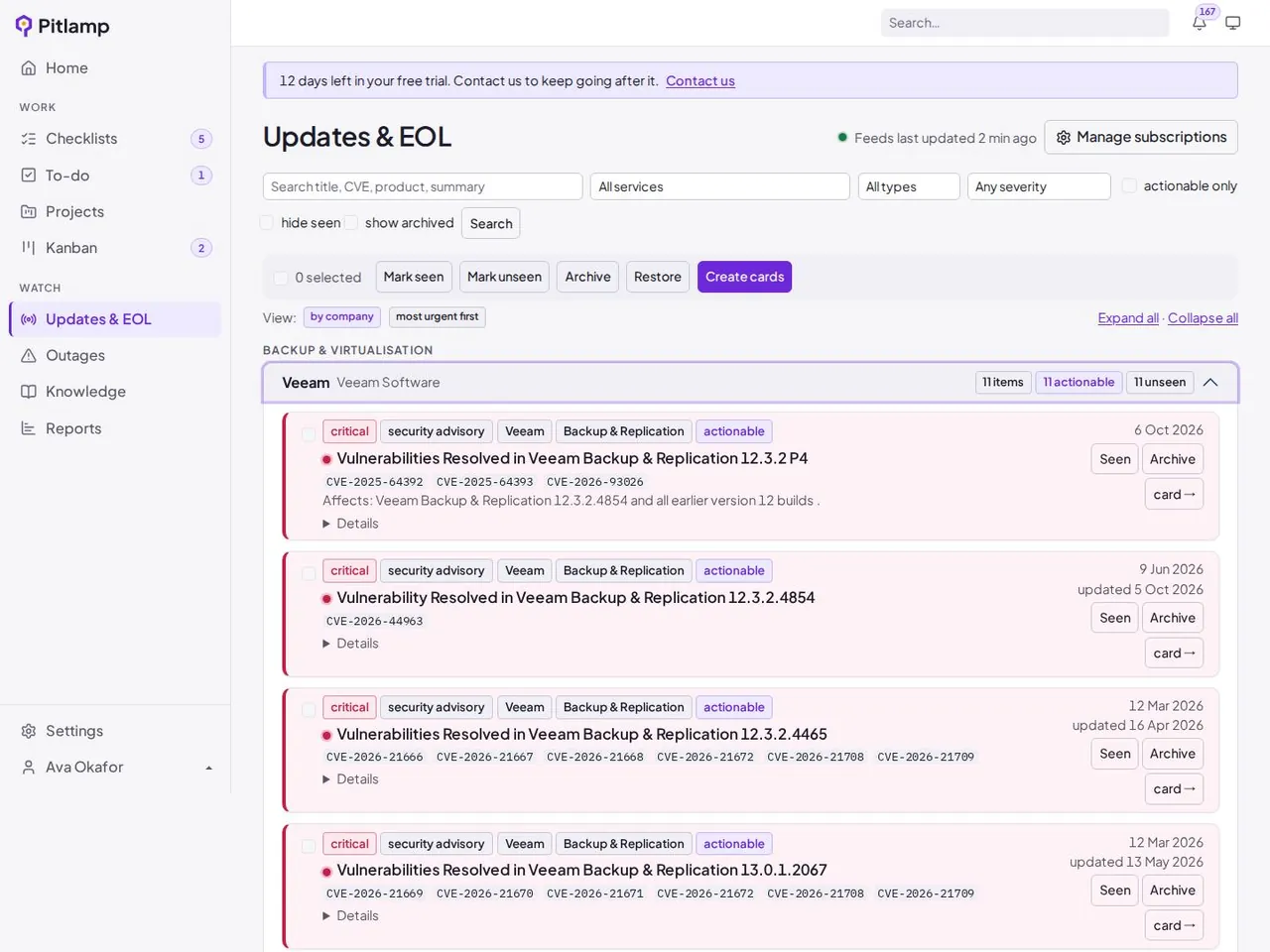
Security updates and CVEs, ranked by urgency
See the security advisories that matter to your estate, with the most severe at the top.
- Security advisories from the vendors you choose to follow
- CVE IDs and CVSS scores highlighted
- Mark each item Complete, Remind me in a few days, or Ignore
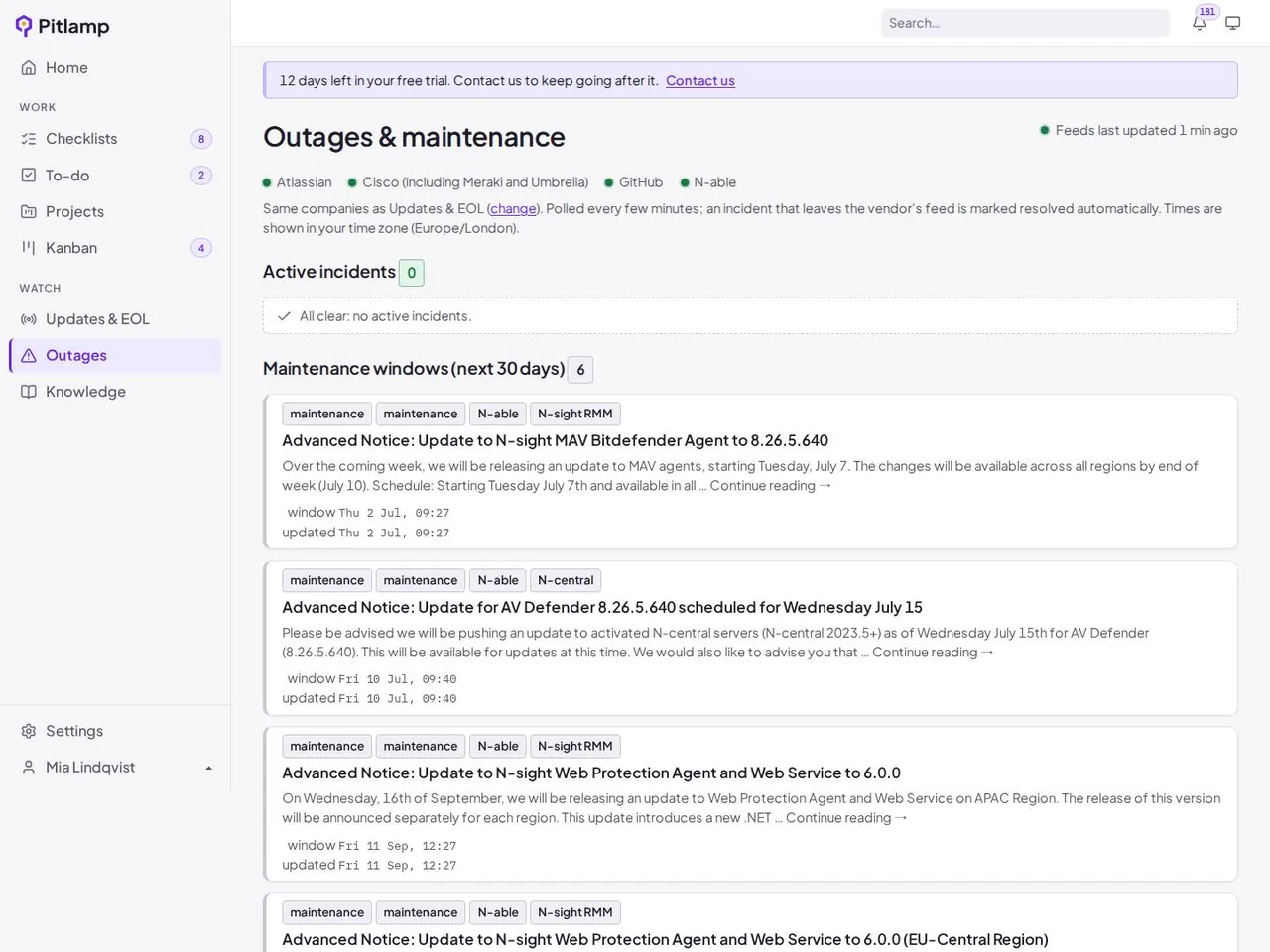
Vendor outages and maintenance
Check one screen instead of a dozen vendor status pages.
- Current incidents from the vendors and cloud services you rely on
- Planned maintenance windows in the same view
- Outages shown next to the rest of your team’s work
Why IT teams track updates in Pitlamp
No more checking vendor websites
Advisories, lifecycle dates and incidents come to you.
The riskiest items first
Urgency ranking and CVSS scores show where to start.
Alerts become action
Anything that needs work becomes a card on your Kanban board.
Frequently asked questions
What does end of life mean for software?
End of life is the date after which a vendor stops releasing updates for a product. Once security support ends, new vulnerabilities are no longer fixed.
Why is end-of-life software a risk?
Unsupported software doesn’t receive security patches, so new vulnerabilities stay open. It can also cause problems with compliance schemes such as Cyber Essentials, which expect software to be supported.
Does Pitlamp scan my network?
No. You choose the software and services you run, so Pitlamp doesn’t need agents or access to your network.
Which vendors does Pitlamp track?
We’re adding vendors and platforms all the time. Tell us what you run when you request your trial, and we’ll let you know what’s covered.
Bring your IT team’s work into one place
Checklists, tasks, projects, runbooks and update tracking in one workspace. Try Pitlamp free for 30 days, with no payment details needed.