
Daily IT checks with an audit trail, and every end-of-life date in view
Pitlamp is the operations workspace for small in-house IT teams, built for organisations that have to show their checks were done. Run the daily infrastructure checks with a record of who checked what and when, keep security updates and end-of-support dates ranked by urgency, and manage the team’s tasks, projects and runbooks in the same place.
30 days free, then £9.99 per user per month. No payment details needed to start.
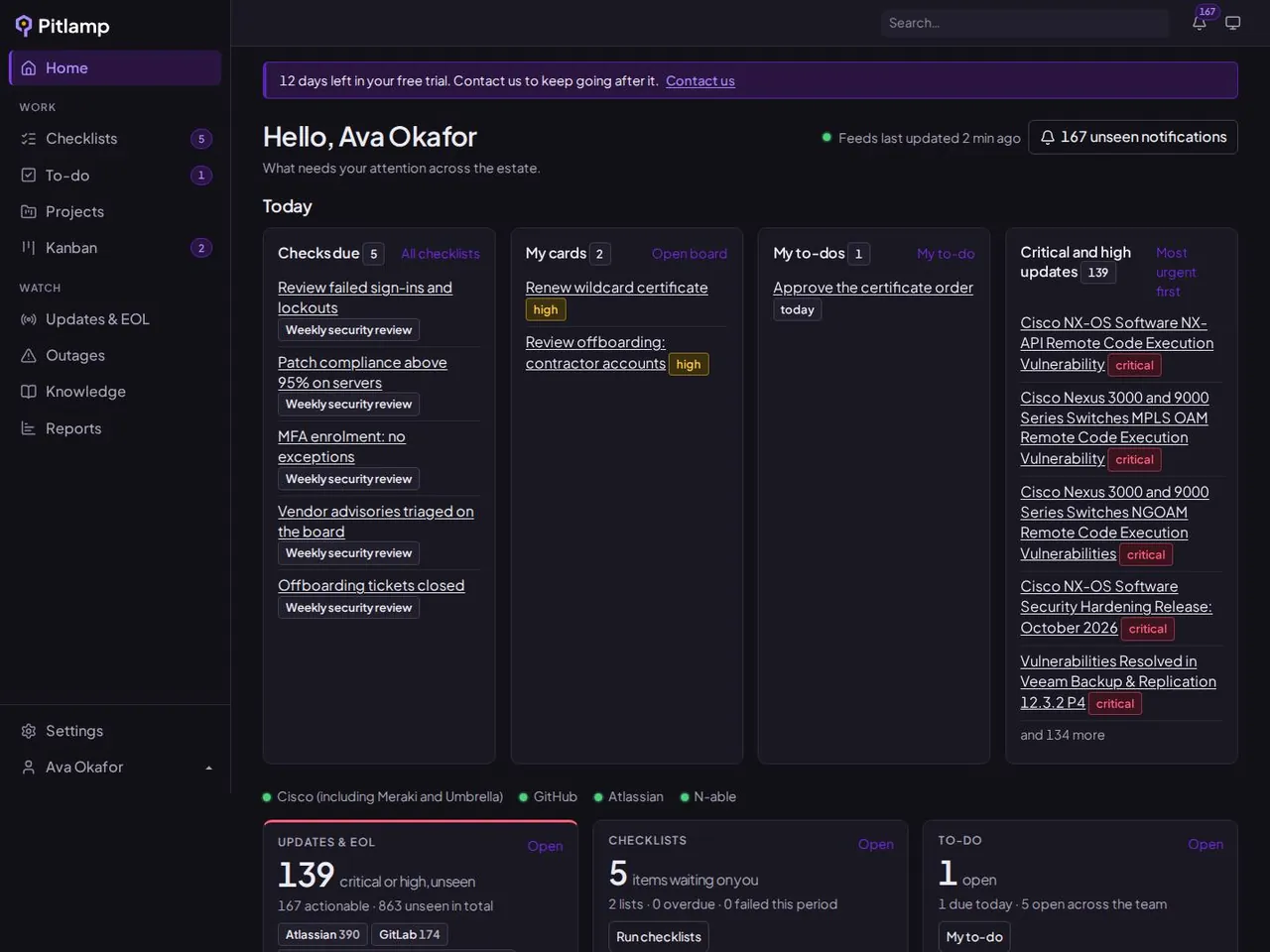
- Daily checks with an audit trail
- End-of-life, security and outage tracking
- Kanban, projects, to-dos and runbooks
- From £9.99 per user per month
IT teams shouldn’t need ten tools to get through the day
Daily checks live in a spreadsheet, tasks in someone’s inbox, runbooks on a shared drive, and vendor updates across dozens of websites. Work falls into the gaps between them.
Work is scattered
Checks, tasks and projects are spread across spreadsheets, inboxes and sticky notes, so nobody sees the whole picture.
Updates get missed
Security advisories, end-of-life dates and outages are published in dozens of places, and the urgent ones get buried.
Knowledge walks out the door
Runbooks and fixes live in people’s heads, so the same problems get solved twice.
One workspace for everything your IT team does
Pitlamp brings your team’s work and the health of your estate together, so you can manage both from one screen.
Manage your team
Plan the day, share the work and keep a record of what’s been done.
Daily checklists
Repeatable daily checks with a guide for every item. Failed checks stay open until they’re fixed.
To-dos
Personal and shared to-do lists, so small jobs don’t get lost between bigger ones.
Projects
Group related work into projects and track progress from start to finish.
Kanban board
See every open job at a glance and move it from open to done.
Knowledge base
Keep runbooks, guides and fixes in one searchable place for the whole team.
Reports
Show what the team has done and what’s still open, without building spreadsheets.
Look after your infrastructure
Know what’s changing across the software and services you run, before it becomes a problem.
End-of-life tracking
Know when the software you run loses vendor support, long before the date arrives.
Security updates and CVEs
New advisories for your vendors, ranked by severity with CVSS scores highlighted.
Outages and maintenance
Vendor incidents and planned maintenance windows in one view, not a dozen status pages.
Notifications
Get told when something relevant changes, so you don’t have to keep checking.
Explore daily IT checklists, IT task management, the IT knowledge base and end-of-life tracking, or see every feature.
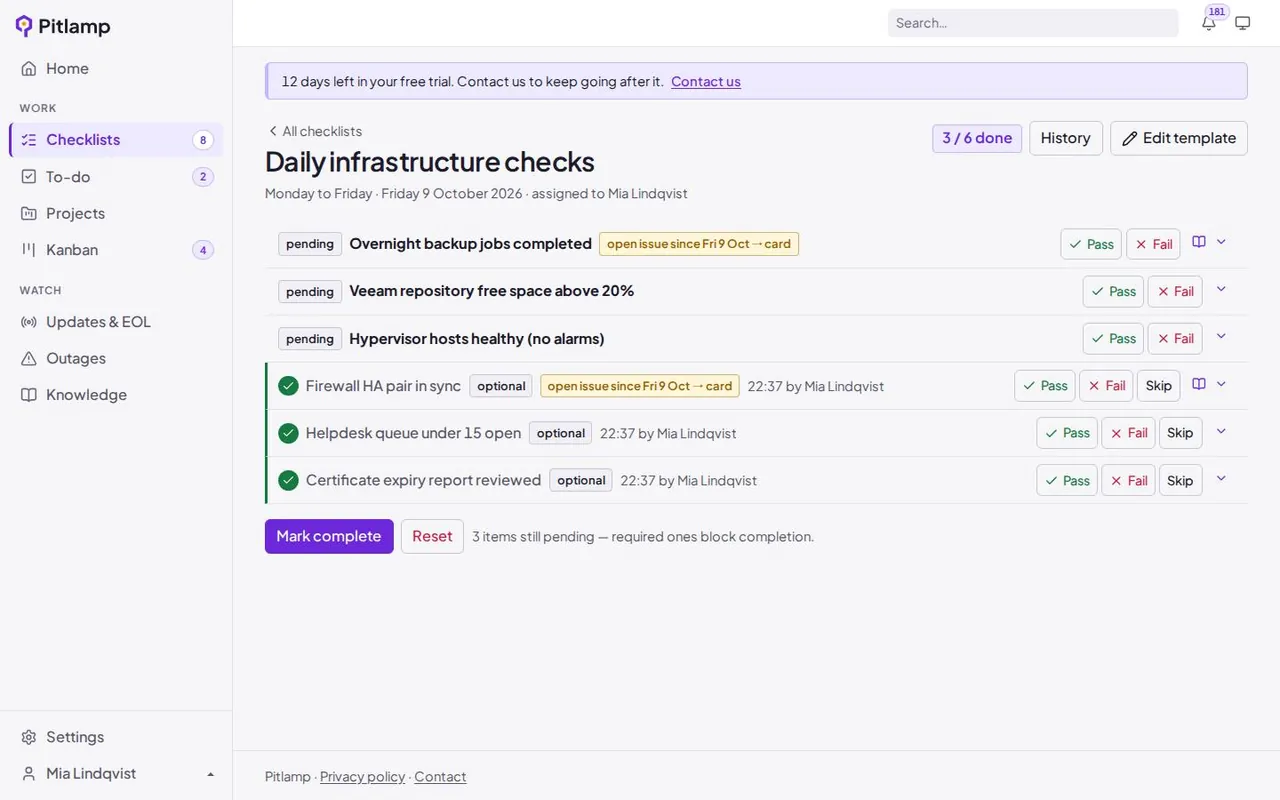
Daily checks, done properly
Build your team’s daily checklist once, with a guide for every item. Record pass or fail each day, and anything that failed stays open until it’s fixed.
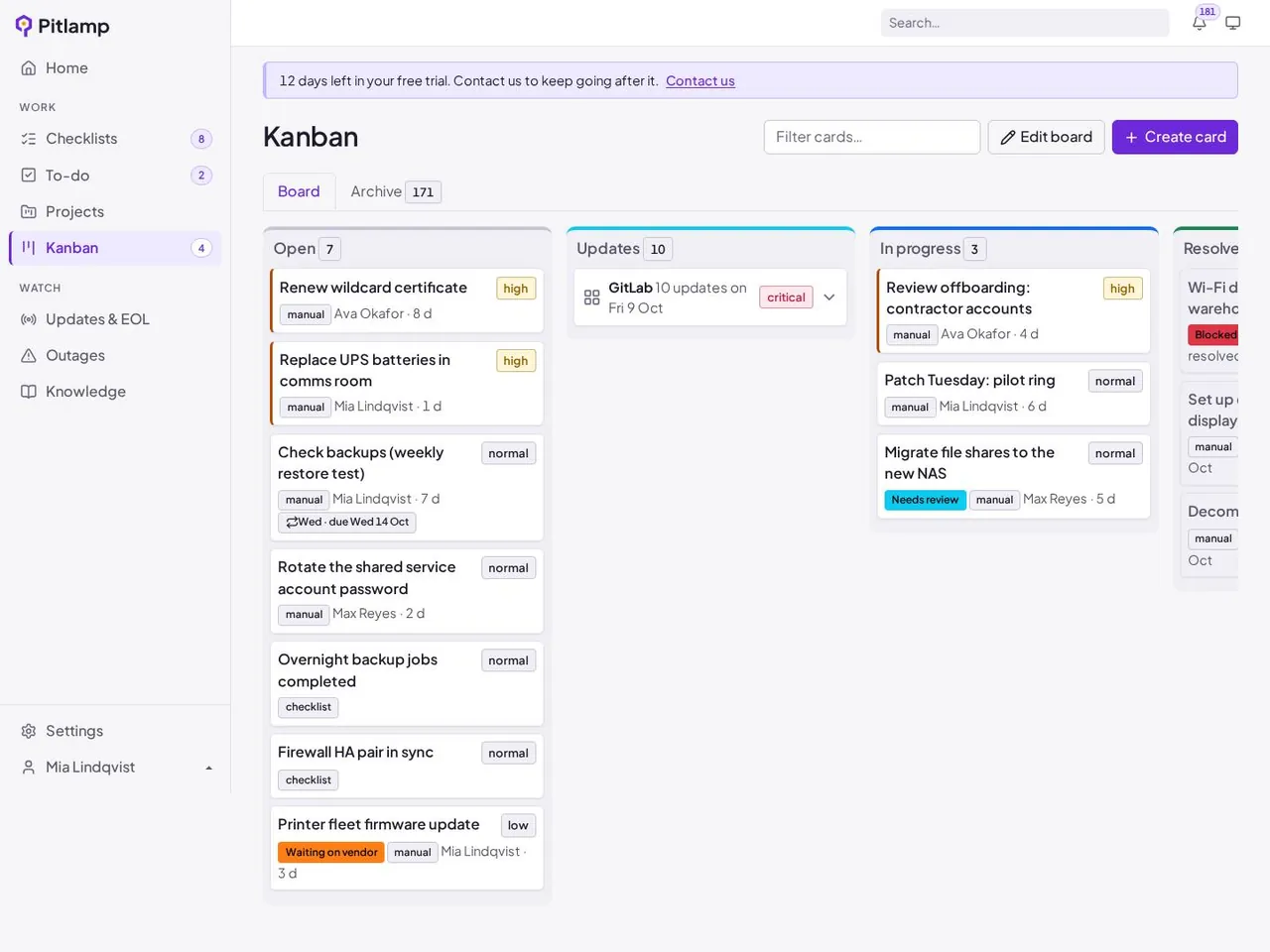
Every job on one board
To-dos, projects, failed checks and urgent updates all land on one Kanban board, so everyone can see what’s open, who’s on it and what’s done.
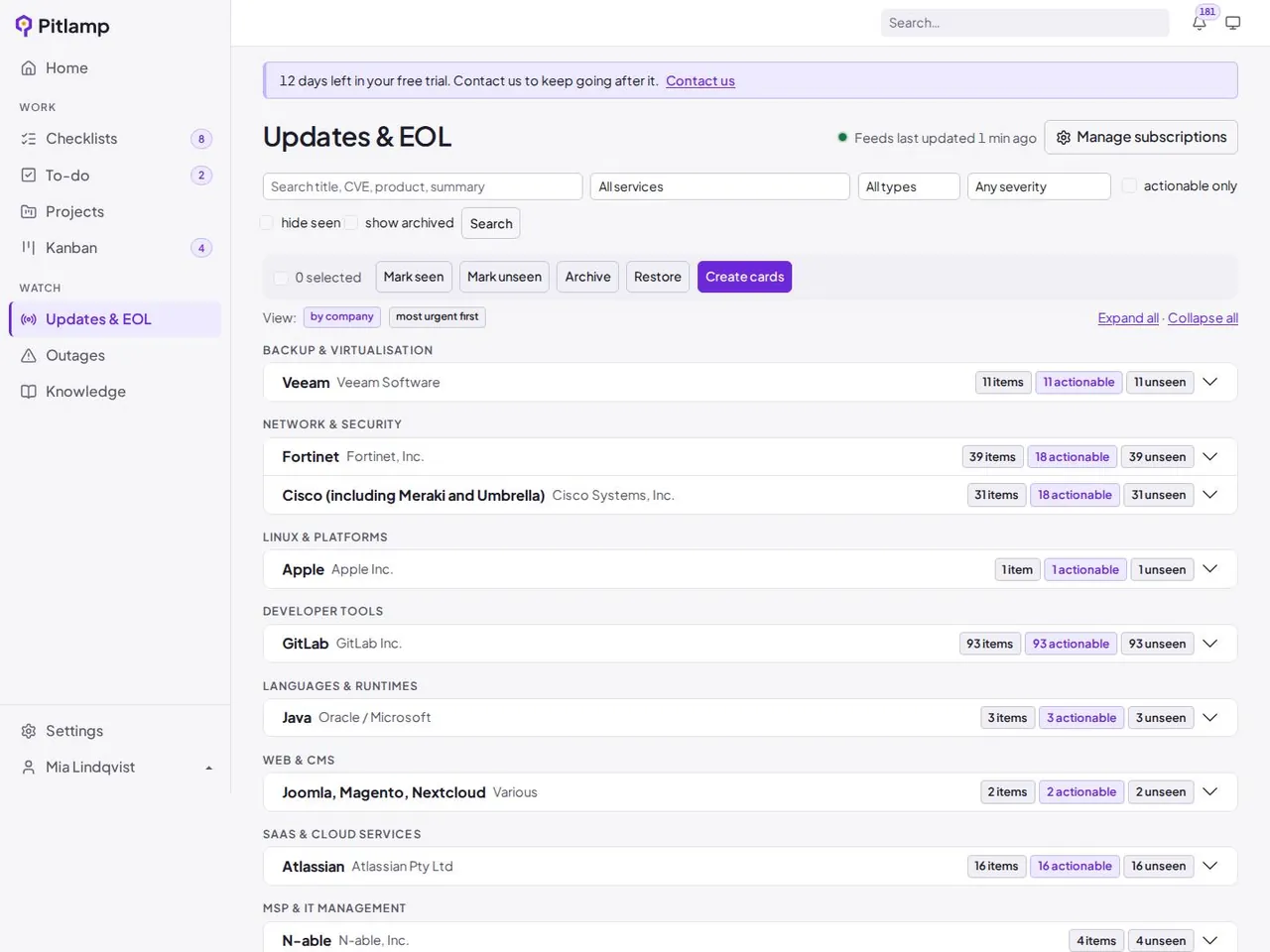
Updates ranked by urgency
End-of-life dates, security advisories and vendor outages for the software you run, with CVSS scores highlighted and the riskiest items at the top.
How Pitlamp works
Set it up once, then run your day from one screen.
1
Set up your workspace
Invite your team, build your daily checklist and tick the platforms and services you run.
2
Start each day with one list
Today’s checks, open tasks and the most urgent updates and outages, ranked so the riskiest items come first.
3
Get it done and keep a record
Work through cards on the Kanban board, file what you learn in the knowledge base and report on what’s done.
Built for the teams that keep organisations running
In-house IT teams
Replace the spreadsheets, shared inboxes and browser tabs with one tool that covers the daily checks, the task list and the estate.
Managed service providers (MSPs)
Keep your engineers’ checks, tasks and projects organised, and track the vendors and platforms you support for clients in one place.
Financial services and regulated firms
Building societies, credit unions and brokers can keep a dated record of daily checks, completed work and how each update was handled, ready for audits and operational resilience reviews.
An early warning for your whole estate
Miners checked for danger with a lamp before every shift. Pitlamp does the same for your estate, flagging end-of-life dates, critical security updates and vendor outages while there’s still time to act.
Start with our free library of software end-of-life dates, each linked to the vendor’s own lifecycle page.
Simple pricing that grows with your team
£9.99 per user per month
Every tool included. Prices exclude VAT. Try it free for 30 days.
Frequently asked questions
What is Pitlamp?
Pitlamp is an all-in-one IT operations workspace. It combines daily checklists, to-dos, projects, a Kanban board, a knowledge base and reports for your team with end-of-life, security update and outage tracking for your infrastructure.
Who is Pitlamp for?
In-house IT teams, managed service providers (MSPs) and regulated firms such as building societies, credit unions and brokers that want one place to run their IT operations.
Can Pitlamp replace our checklist spreadsheets and task lists?
For most small IT teams, yes. Daily checklists, to-dos, projects and a Kanban board are built in, alongside your knowledge base and update tracking.
Does Pitlamp install patches?
No. Pitlamp tells you what needs patching, upgrading or replacing and helps your team plan and track the work. It sits alongside the patch management and RMM tools you already use.
How does the free trial work?
Request a trial and we’ll set up your account. You get full access to every feature for 30 days, and you don’t need to enter payment details.
How much does Pitlamp cost?
£9.99 per user per month, excluding VAT, with every feature included. There’s no minimum number of users.
Bring your IT team’s work into one place
Checklists, tasks, projects, runbooks and update tracking in one workspace. Try Pitlamp free for 30 days, with no payment details needed.